Screenshots
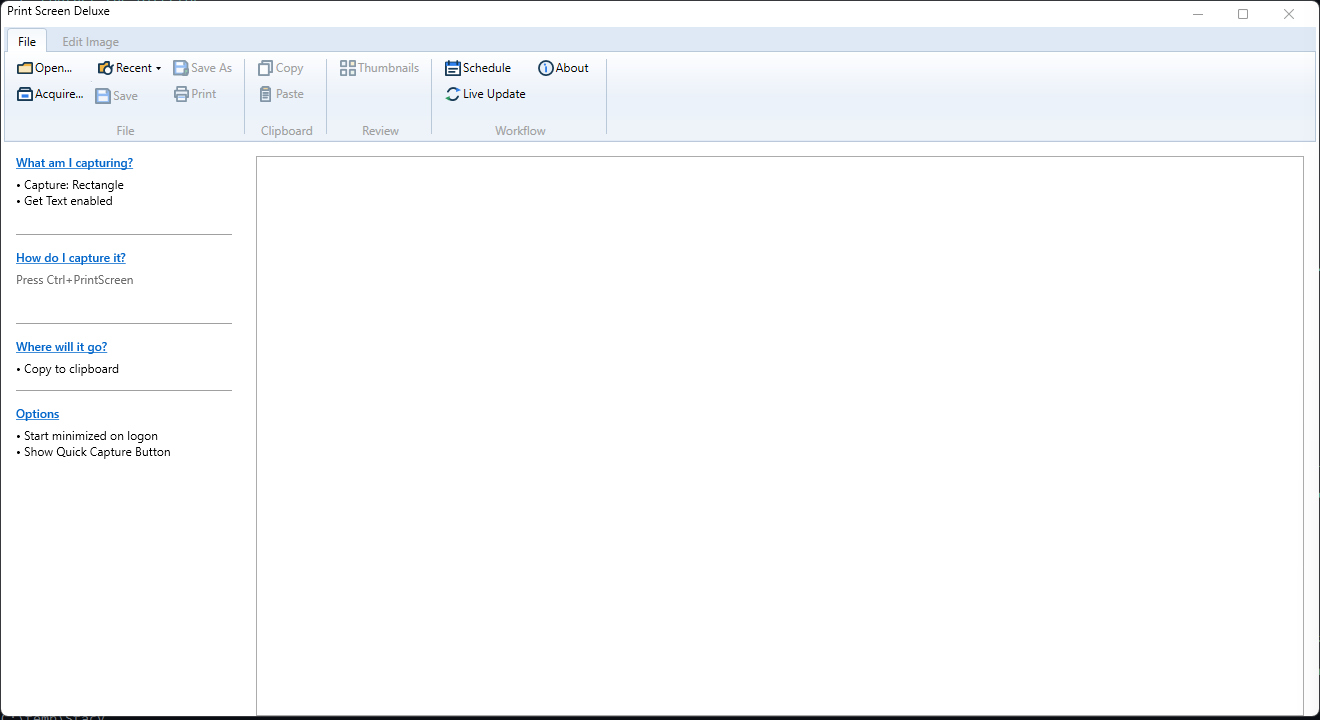
Print Screen Deluxe helps you capture the screen, mark up images, pull text from pictures, record video, and save or print the result.
Use this manual when you want to learn the app, look up a setting, or solve a problem.
Start Here
If you are new to the app, begin with these pages:
Popular Tasks
Take Your First Screenshot
Use Get Started for the fastest first run.
Capture A Window Or Part Of The Screen
Use Capture Basics In Print Screen Deluxe and Capture Types Reference.
Pull Text From A Picture
Use Get Text (OCR).
Record A Screen Video
Use Video Recording.
Save, Print, Or Paste The Result
Run A Capture Later On A Timer
Use Scheduled Capture And Workflow.
Browse By Topic
Basics
- Print Screen Deluxe Overview
- Get Started
- Capture Screens In Print Screen Deluxe
- Capture Basics In Print Screen Deluxe
- Capture Types Reference
- Edit Images And Add Markup
- Save, Copy, And Print
Extra Capture Features
Settings And Reference
- Preferences And Options Reference
- Capture And Startup Settings
- Image, Print, And Saved Settings
- Command-Line Reference