Print Screen Deluxe
Current version 8.0.0

What's new in Print Screen Deluxe 8.0.0

Version 8.0.0 establishes the current release line for Print Screen Deluxe and keeps the product focused on fast screen capture, OCR, markup, redaction, and dependable everyday Windows workflows.

Released March 21, 2026. Fully functional 30-day trial. One-time purchase. No subscription.
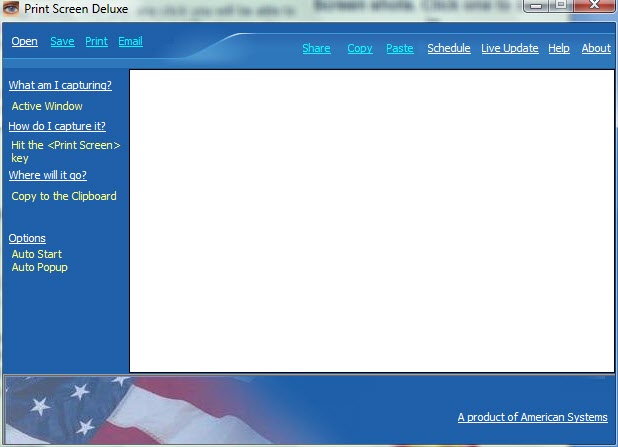
Print Screen Deluxe main window
Release snapshot
Version 8.0.0
  • Current stable release for Print Screen Deluxe
  • Windows App Installer manifest and MSIX package available
  • Supports capture, OCR, annotation, redaction, and printing workflows
  • Designed for Windows 10 and Windows 11
Release notes

What changed in 8.0.0

This release sets the 8.0.0 baseline and gives customers a cleaner install path, clearer versioning, and an updated home for release information.

Stable version 8.0.0 is published
Print Screen Deluxe now has a public 8.0.0 release line, with this page acting as the summary point for the current version and future release updates.
Windows App Installer path is available
Windows users can open the App Installer manifest directly and install from the published MSIX package instead of hunting for separate package details.
Versioning is explicit on the site
The page now shows the live product version number so customers and support teams can quickly confirm they are looking at the right release.
Current capabilities

What you get in Print Screen Deluxe 8.0.0

The current release keeps the product focused on practical capture and documentation work without the overhead of a larger suite.

Flexible capture modes
Capture a full screen, a single window, a region, or a multi-monitor layout with fast keyboard-driven workflows.
OCR text extraction
Pull text from screenshots when you need to copy an error message, a report field, or text shown inside another application.
Annotation and redaction
Add arrows, text, highlights, shapes, blur, and redactions before you share a capture with a customer, teammate, or ticket system.
Scrolling and long-page capture
Capture content that does not fit on a single screen, including long pages and workflows that need more than a simple snip.
Organized history
Keep recent captures easier to review and find when you are documenting repeatable work, support steps, or test evidence.
Save, print, and share
Send captures to local folders, cloud-synced locations, network paths, printers, and the clipboard without changing tools.
Get started

Choose the version 8.0.0 path that fits you

Whether you are trying the product, rolling it out to a team, or coming back as an existing customer, the current release keeps the install and activation path straightforward.

  • Use the App Installer link for a modern Windows install experience
  • Use the downloads page if you want to compare available installer options
  • Activate a purchased license without switching to a subscription model
  • Use the documentation and FAQ when you need setup or workflow help
Print Screen Deluxe is built for people who need screen captures to move work forward, not slow it down. Version 8.0.0 keeps that utility-first approach while making the release and install story clearer.
Version 8.0.0

Ready to try the current release?

Open the App Installer package, review the documentation, or go straight to ordering when you are ready.